Document rules and retention
यह कंटेंट अभी तक आपकी भाषा में उपलब्ध नहीं है।
Document Policies has two settings about deleting employee documents, and neither of them does anything yet. The rules that do apply to uploaded files, such as the size limit, are built in and the same in every workspace. This article covers both.
Open Document Policies
Section titled “Open Document Policies”-
Select Settings in the menu bar. If you’re an Admin, turn on admin mode first: select your name at the top right, then Elevate to Admin.
-
Open General, then the Document Policies tab.
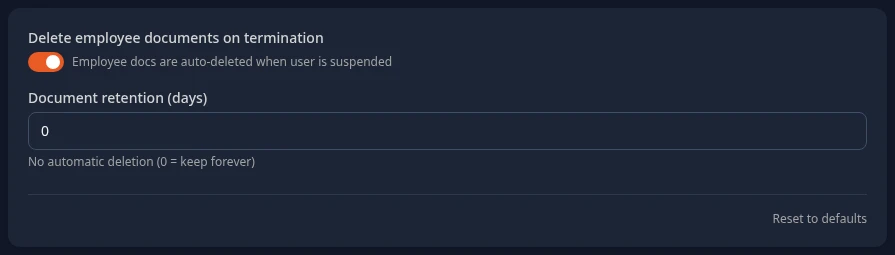
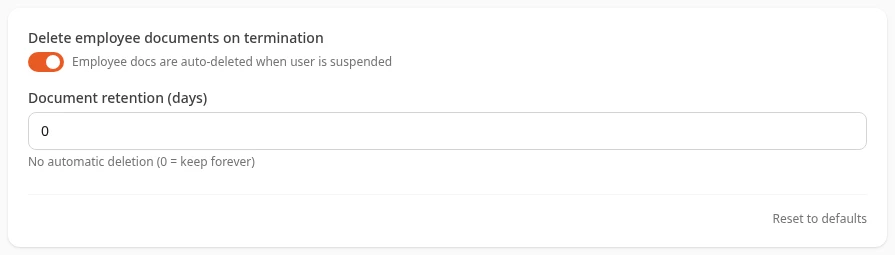
The settings on this tab
Section titled “The settings on this tab”| Setting | What it does | Default |
|---|---|---|
| Delete employee documents on termination | Saved with your policy, but it has no effect yet. The note under the switch reads Employee docs are auto-deleted when user is suspended, but nothing deletes them: the files stay on the Documents page of someone who has left. | Off |
| Document retention (days) | Shows while the switch above is on. Saved, but it has no effect yet either: no document is deleted, whatever the number. 0 means keep forever. | 0 |
The tab’s description, Document retention and access policy, mentions access, but the tab has no access settings, and none for file types or sizes either. Who can open a file depends on the option chosen for it: see Who can open a file.
As on other settings tabs, Save changes in the bar at the bottom of the page saves your changes, and Reset to defaults puts the switch back off and the retention back to 0.
Rules for uploaded files
Section titled “Rules for uploaded files”These rules apply to the files on people’s Documents pages and to company documents. You can’t change them:
| Rule | What it means |
|---|---|
| Size | Up to 50 MB per file. |
| Program files | Never accepted: .exe, .msi, .dmg, .app, .jar, .bat, .cmd, .com, .ps1, .sh, .scr, .vbs and .wsf. |
| Other file types | Every other type is accepted, such as PDF, Word, Excel or images. |
| File names | Spaces become hyphens, and symbols other than dots, hyphens and underscores become underscores. Names are cut at 200 characters. |
| Downloads | Documents download as a file instead of opening in the browser. A download link works for 15 minutes for a file on someone’s Documents page, and 30 minutes for a company document. |
Expense receipts have their own limits: PNG, JPEG, HEIC or PDF, up to 10 MB. See Submit an expense report.
Who can open a file
Section titled “Who can open a file”Each file has its own setting, chosen when it’s uploaded and changed in its list:
- Files about a person, on their Documents page: Only me and HR, Me, my managers and HR, HR only or All employees. See Who can open your documents.
- Company documents: All employees or HR only. See Share company documents.
How long files are kept
Section titled “How long files are kept”- Uploaded files stay until someone deletes them. Nothing deletes them automatically: not when someone leaves, and not after a number of days.
- A deleted file disappears from the app straight away, but the stored copy isn’t erased yet.
- The record of who opened someone’s private files is kept for two years. See See who opened your private files.
Can’t see this?
Section titled “Can’t see this?”- There’s no General card in Settings. It needs the permission Manage settings, which HR Admins have. Admins turn on admin mode first.
- There’s no Document Policies tab. The tab only shows with the permission Manage policies, under Documents.