Move a candidate forward or reject them
As a job’s hiring manager, you decide who goes on to the next stage and who doesn’t. You do it in the candidate panel of the job’s Pipeline tab, or on the candidate’s interview page, which has the same controls. The controls only show if your interview role on the job allows them: see What your interview role lets you do.
Move a candidate to a later stage
Section titled “Move a candidate to a later stage”-
Select Hiring in the menu bar, then the job under My Assigned Jobs.
-
On the Pipeline tab, select the candidate’s card.
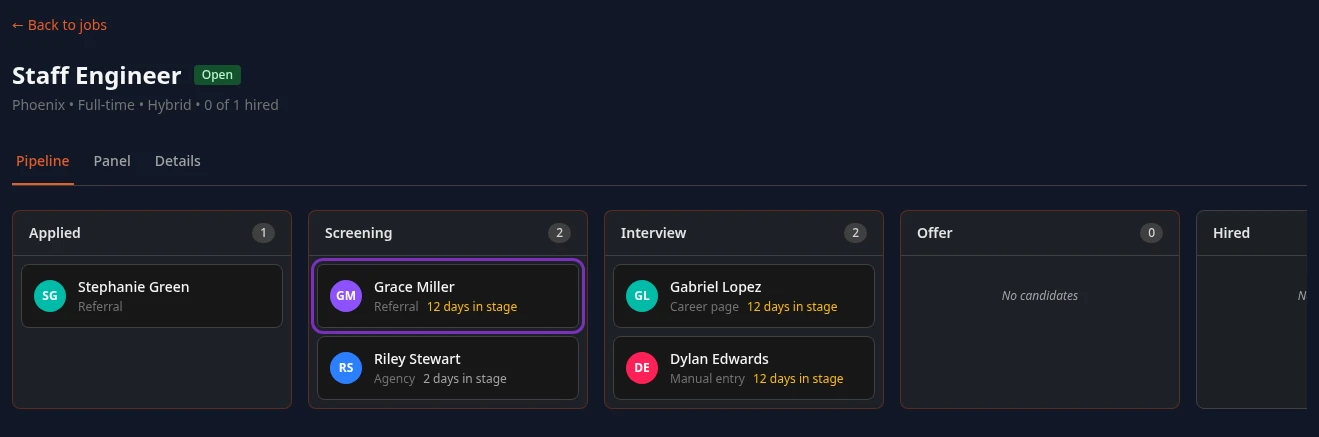
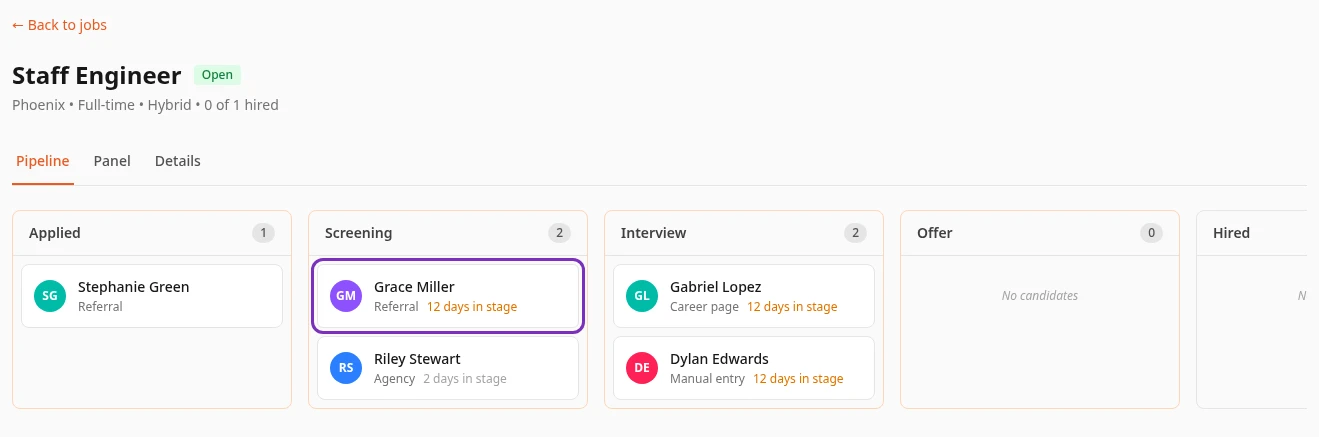
-
Under Advance to next stage, type a note if you want, such as why you’re moving them on.
-
Select the stage to move them to, such as → Interview.
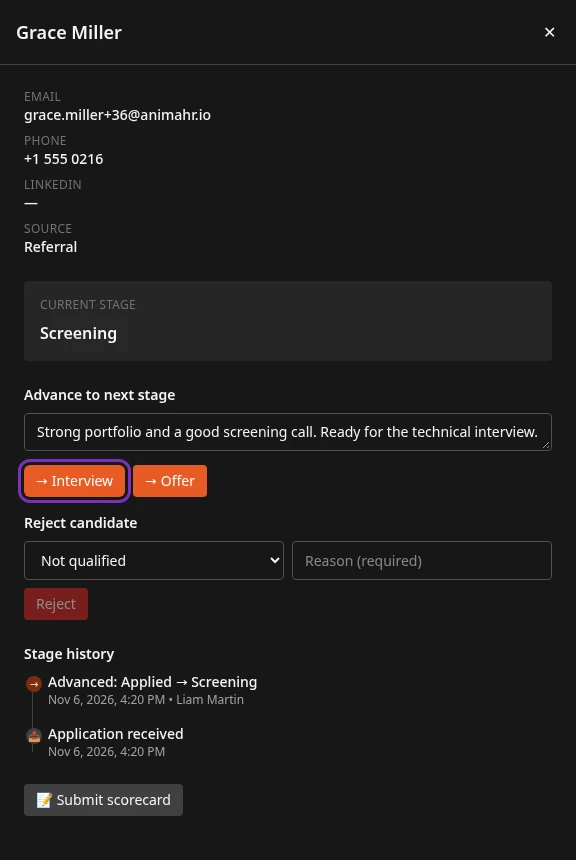
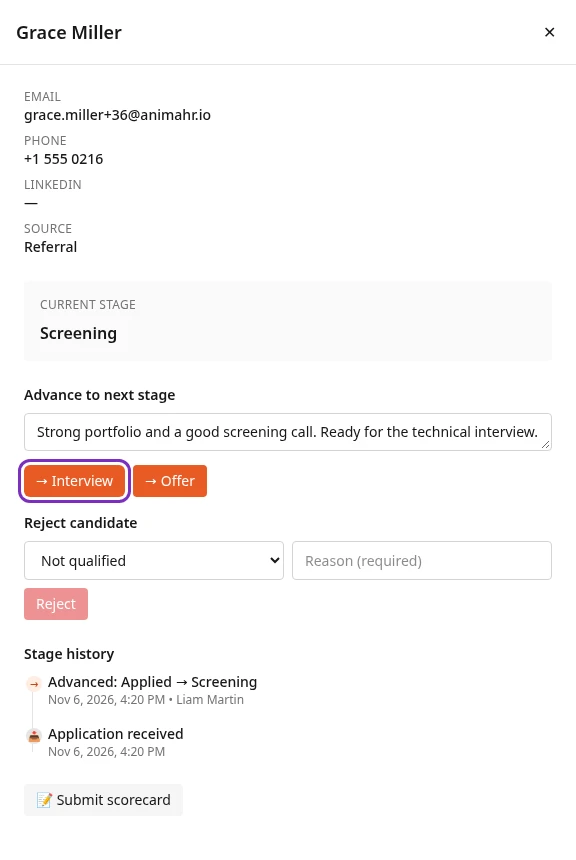
Candidate advanced appears and the card moves to that column.
- There’s a button for every later stage before Hired, so you can skip a stage, for example from Screening straight to Offer.
- You can’t move a candidate back to an earlier stage, and nobody can move them to Hired from here: hiring is the recruiter’s step, after the offer.
- At the last stage before Hired, usually Offer, only Reject candidate is left.
Reject a candidate
Section titled “Reject a candidate”-
Open the candidate as above.
-
Under Reject candidate, choose the category that fits best: Not qualified, Culture mismatch, Position filled, Duplicate application or Other.
-
Write the reason in the box next to it, Reason (required). Reject stays greyed out until you do.
-
Select Reject.
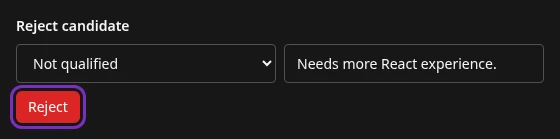
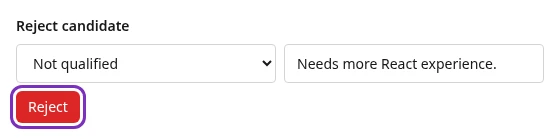
Candidate rejected appears and the card moves to the Rejected column, with your reason on it.
What the candidate is told
Section titled “What the candidate is told”- When you reject them, Anima HR emails them straight away, with the subject “Update on your application” and your company’s name. The email thanks them for their interest in the job and says the company has decided to move forward with other candidates. Your reason and the category aren’t in it.
- When you move them forward, they get no email, unless your company has turned on stage emails. That email names the new stage.
- If your company takes applications on its careers page in Anima HR, candidates who applied there can also check which stage they’re at.
These emails follow your company’s hiring settings. Ask your HR team if you’re not sure what your candidates get.
What’s recorded
Section titled “What’s recorded”Each move is added to the candidate’s Stage history in the candidate panel, with the date, your name and your note or reason, for example Advanced: Screening → Interview or Rejected: Screening → Rejected. Everyone on the job’s panel can read it, and so can recruiters and HR.
The category you chose when rejecting is saved with the application, but the app doesn’t show it anywhere yet.
From the offer stage on
Section titled “From the offer stage on”When a candidate reaches Offer, the recruiter takes over: they prepare and send the offer, then hire the candidate. As Hiring Manager you can’t make offers or hire, unless your company has changed that role.
With the standard approval flow, each new offer first goes to the job’s hiring manager for approval, then to HR. It arrives in Inbox › Approvals, where you decide it like other requests: see Approve or reject requests in your Inbox.
- The job’s hiring manager is a setting of the job itself, separate from the Hiring Manager interview role, and the app has no screen to set it yet. Jobs created in Anima HR don’t have one, so their first approval goes to HR instead.
- The approval doesn’t hold the offer back: the recruiter can send the offer before it’s approved.
Can’t see this?
Section titled “Can’t see this?”- There’s no Advance to next stage or Reject candidate. Your interview role on this job can’t move candidates (by default Technical Assessor, Culture Interviewer and Panel Member can’t), or the candidate is already Hired or Rejected. Ask the recruiter to make the move.
- There’s Reject candidate but no stage to move to. The candidate is at the last stage before Hired. The recruiter makes the offer and hires them.