Track your support requests
Every request you file is listed on the Support page, under My Tickets. Open a request to check its status and read the help desk’s answers.
Find your requests
Section titled “Find your requests”-
Select Support in the menu bar.
-
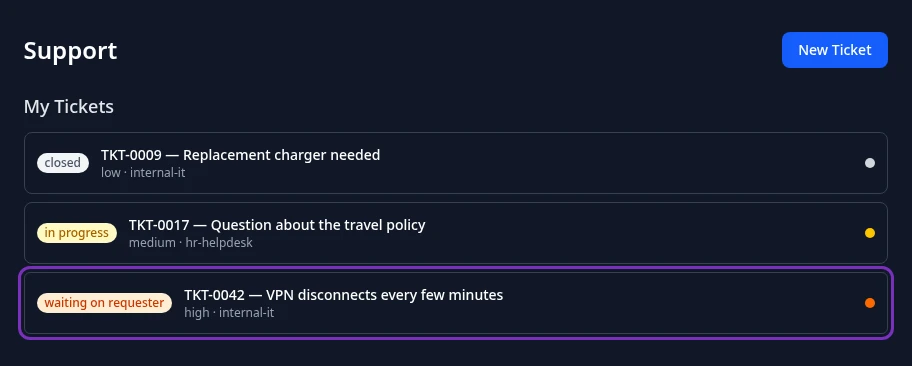
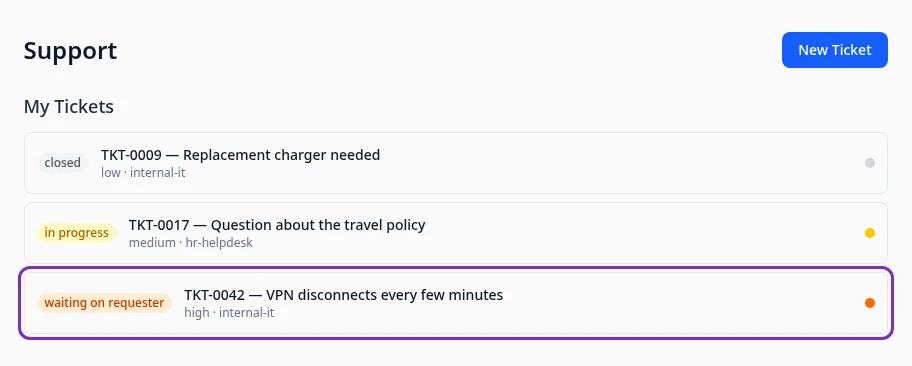
Find the request under My Tickets. Each one shows its status, its number and subject, its priority and the ID of the help desk it went to.
-
Select the request to open it.
My Tickets lists your requests oldest first and stops at 10. If you have more, the list ends with a link such as View all (12): select it to see every request on the My Tickets page.
Read the help desk’s answers
Section titled “Read the help desk’s answers”-
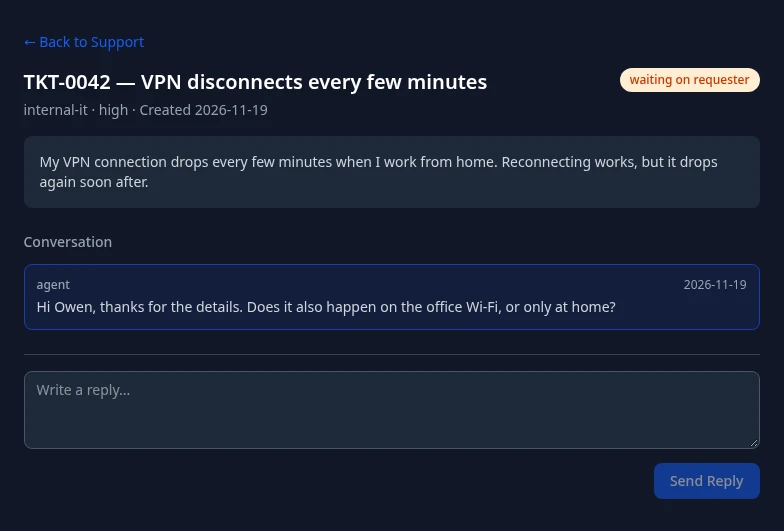
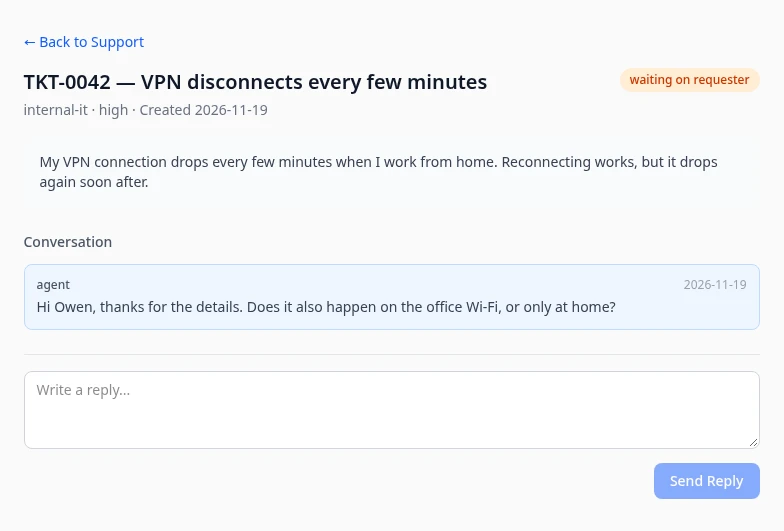
Open the request. At the top are its number and subject, the help desk, the priority, the date you filed it after Created, and the status on the right. Your description is below them.
-
Read the replies under Conversation, oldest first. Replies from the help desk are labeled agent. The help desk’s internal notes aren’t shown to you.
Reply to the help desk
Section titled “Reply to the help desk”-
Open the request.
-
Type your answer in Write a reply… under Conversation.
-
Select Send Reply.
Reply sent appears and your reply is added to the conversation. The help desk sees it the next time they open the request.
You don’t get an email or a notification when the help desk answers or changes the status. Check your requests on the Support page.
What the statuses mean
Section titled “What the statuses mean”| Status | What it means |
|---|---|
| open | The help desk hasn’t started on your request yet. |
| in progress | Someone is working on it. A request also moves to in progress when it’s assigned to someone. |
| waiting on requester | The help desk needs something from you, such as an answer to a question. |
| escalated | The help desk flagged your request as escalated. The person working on it stays the same unless the help desk reassigns it. |
| resolved | The help desk considers it solved. If it isn’t, tell the help desk: they can reopen it. |
| closed | It’s finished. If you need more help, file a new request. |
Only the help desk changes the status: you can’t close or reopen a request yourself.
Can’t see this?
Section titled “Can’t see this?”- There’s no Support in your menu bar. The Support module is turned off for your company, or your roles don’t include it. Ask your admin.
- A request is missing from My Tickets. The list only shows requests you filed yourself, and only the first 10. Select the View all link under the list to see the rest.